Clear choices. Clearer orders.
Guests browse without signing in and choose dishes and spice levels at their own pace. Selections reach the manager view in writing, making orders easier to check. Extra dishes join the same open order.
Clearer ordering. Easier restaurant management.
Guests choose at their own pace. Your team sees every order clearly.
No installation. Try ordering and managing a table.
Manage tables and orders while guests order with ease.
Order a dish, then review the bill in the manager view.
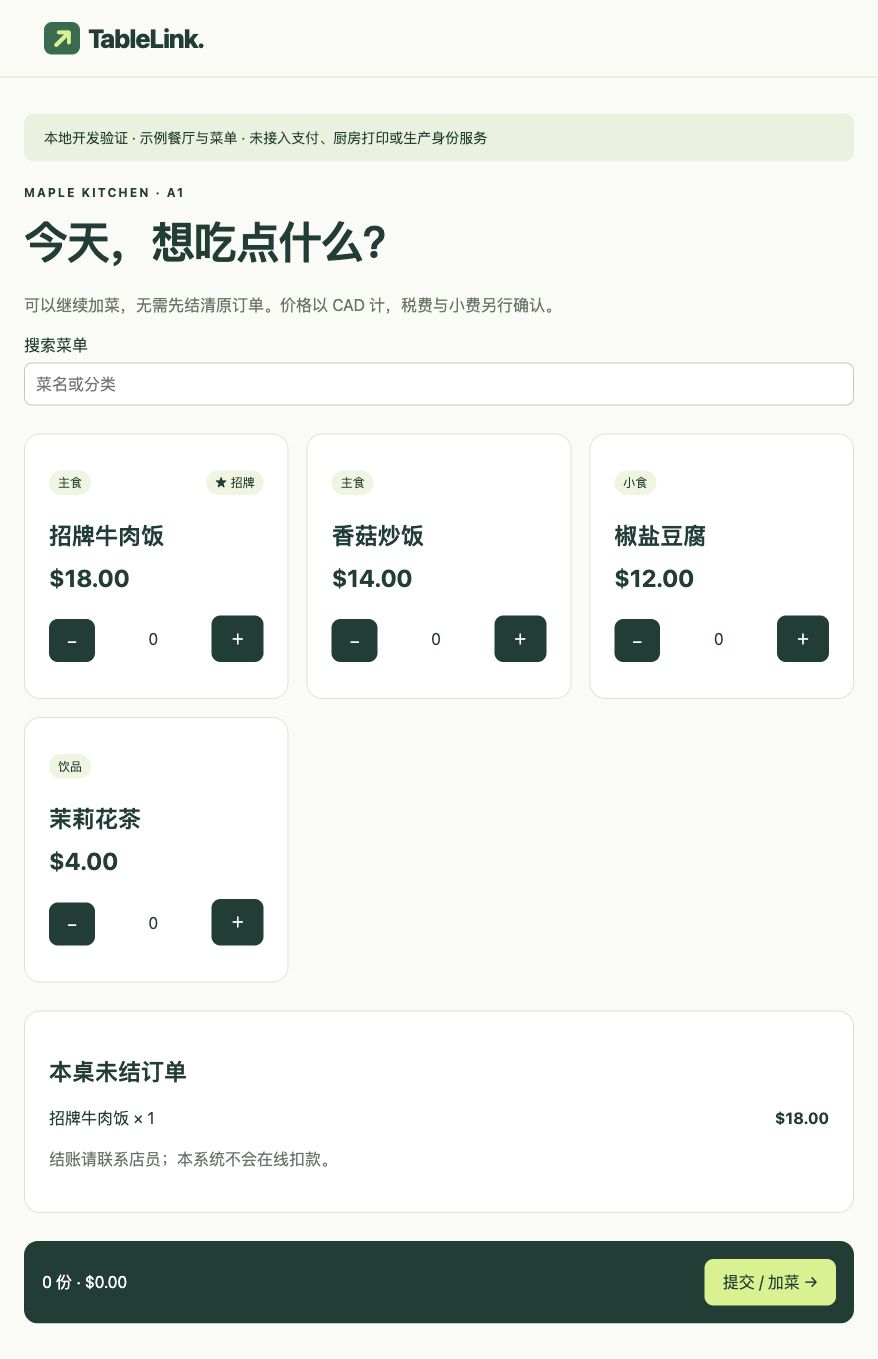
Guests browse the menu and choose quantities and spice levels.
Table, dishes, spice levels and totals in one place.
Add to the same open order without paying first.
Submit a demo order to try checkout.
Local demo only: no orders are sent to a restaurant. Prices are in CAD before tax. Checkout uses a sample 13% tax rate and does not charge a payment.
MAPLE KITCHEN · A1
Add dishes to your open order. Prices are in CAD; tax is shown at checkout.
Ask a staff member to pay. No online payment is taken here.
Scroll inside the phone · Add more after ordering
Make ordering clearer and daily service easier.
Guests select dishes and spice levels on screen, reducing back-and-forth. Your team keeps tables, orders and checkout organized.
Guests browse without signing in and choose dishes and spice levels at their own pace. Selections reach the manager view in writing, making orders easier to check. Extra dishes join the same open order.
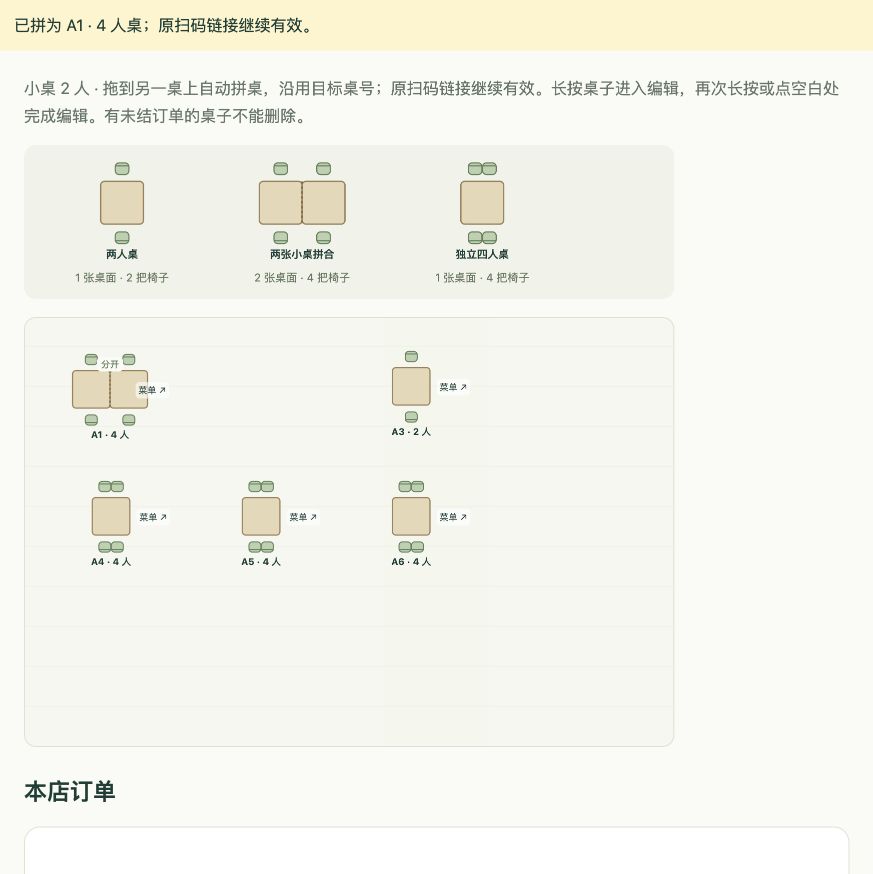
Drag two-seat and four-seat tables into place. Side-by-side tables stay separate. Overlapping tables ask for confirmation before merging; splitting preserves their positions.
View revenue and dish sales. Historical entries stay distinct from system orders.
Sales trend · SampleEdit dishes, upload photos, highlight specialties and set fixed or selectable spice levels.
Managers run their own restaurant. The platform manages service access, not daily checkout.
Review the subtotal, cash discount, tax and total. Record in-person payments without charging online.
From guest menus to the manager workspace, designed around dining. Open a screenshot to see the original Chinese interface.
Guest menu · Dishes and table orders
Manager workspace · Separate and joined tables
In development · Interactive demo with reference screenshots. See the FAQ for current availability.
Start with your daily needs. Connect tables, menus and ordering, then refine the workflow around your restaurant.
See what’s available today ↗Dine-in, takeaway or drinks? Start with your daily workflow and current challenges.
Add dishes, photos and spice levels. Arrange tables and create a menu link for each one.
Guests scan, order and add dishes. Managers record in-person payments and review reports.
TableLink runs in a browser, with a manager workspace designed for tablets. Kitchen printing is not yet integrated. Device compatibility will be confirmed before launch.
No. Guests can add dishes to the same open table order without paying first. Dishes and spice levels are recorded separately.
Original QR links remain valid. Splitting restores the individual tables and codes. Open orders remain on the main table; bills are not split automatically.
TableLink is in development. This page demonstrates menus, ordering, table layouts and in-person payment records. Online payments, kitchen printing and real-time notifications are not yet integrated. Interested restaurants can contact us below.
Interested in TableLink? Share your restaurant name, email and needs with SmallBetsAI.
The contact form is still being connected. You can email us directly at mzq200431@gmail.com。
TableLink is a product by SmallBetsAI .Visit our company website ↗